How to Get Bike Insurance Details by Vehicle Registration Number?

- Home

- Motor Insurance
- Bike Insurance
- Articles - TWI
- How to Get the Details of Bike Insurance by Registration Number?
In India, as per IRDAI rules, every bike owner must have at least a valid third-party two-wheeler insurance policy to legally ride on public roads. If you lose your policy document, your claims may get delayed or rejected. The good news, you can easily perform a bike insurance check by vehicle number and download your policy again within minutes. This page explains how to check bike insurance by vehicle number, how to download bike insurance copy by vehicle number, and all available online methods to retrieve your policy details.
What is a Bike Registration Number?
A bike registration number is a unique alphanumeric code issued by the Regional Transport Office (RTO). It gives your two-wheeler a legal identity and is displayed on your number plate (front & rear).
Format example:
DL 3CCN 4564
DL → State Code
3C → RTO/Area Code
CN → Series
4564 → Unique Vehicle Number
This number is required for:
- Bike insurance policy download by vehicle number
- Two wheeler insurance check by vehicle number
- Bike insurance policy number retrieval
- RC, PUC & challan verification
How to Check Bike Insurance Details by Vehicle Number?
If you don't have your two wheeler insurance papers, here is how to find bike insurance details online:
Step-by-Step Process to Check Bike Insurance:
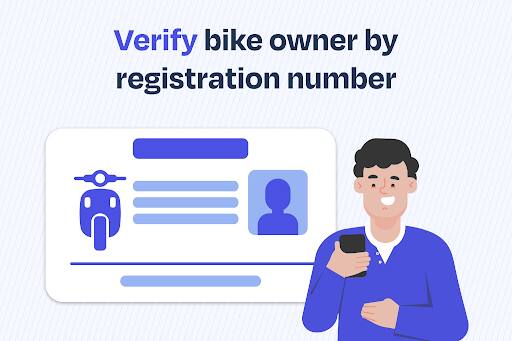
- Visit the VAHAN portal (Parivahan by MoRTH) or mParivahan app
- Enter your bike registration number
- View your bike insurance details, expiry date & policy status
This helps in quick:
- Bike insurance check or two wheeler insurance check by vehicle number
- Bike insurance validity verification before renewal
Process of Bike Insurance Policy Download by Vehicle Number
In this digital era, finding your bike insurance details is simpler. If the physical copy of your bike insurance policy is misplaced or stolen, you can follow the below steps for 'bike insurance policy download by vehicle number:
- Step 1: Visit your insurance provider's official website.
- Step 2: Log in to your account using your vehicle registration number, username & password, whichever is available.
- Step 3: Access your bike insurance policy details once logged in and select the bike insurance policy you need.
- Step 4: Click on the download policy or a similar option to get a bike insurance copy PDF download by vehicle number.
- Step 5: After downloading the bike insurance policy documents, you can print it out for a physical copy.
This enables:
- Bike insurance copy PDF download by vehicle number
- Bike insurance details retrieval
- Download bike insurance policy by vehicle number
- Two wheeler insurance download by vehicle number
You can also store your policy securely in DigiLocker.
What If You Don't Have a Registration Number?
The registration number of a vehicle is the same as the number mentioned on the number plate. Your registration number can be found on:
- Number plate
- RC book/card
- RTO registration documents
- DigiLocker RC copy
In case of theft, the FIR and two wheeler insurance records can also help retrieve the vehicle number.
Other Methods to Find Bike Insurance Policy Details
All the information related to the comprehensive bike insurance policy can be quickly recovered by contacting the insurance provider.
If online retrieval doesn't work, you can follow the below steps to get a duplicate bike insurance policy copy:
- Contact your insurer and share personal verification details
- They will issue a duplicate insurance copy
- You may need to submit:
– Lost policy declaration
– Newspaper ad copy
– Indemnity bond (as needed)
Why Should You Perform a Bike Insurance Check by Vehicle Number?
It is vital to perform a bike insurance check to maintain and manage. Here are prominent reasons why one should regularly do a bike insurance check:
- Bike insurance checks by vehicle number help verify all the details mentioned in the policy documents. If there is any discrepancy, it can be rectified in time.
- It helps you know the policy status, whether active or expired.
- Besides, you can also assess whether the policy coverage is adequate depending on your current needs & preferences.
- You gear up for bike insurance renewal on time, making the process smooth, as you will be aware of renewal dates & requirements.
- Timely bike insurance checks help you understand all the terms & conditions of the policy. Ultimately, it gives you a surety of what is covered and not, avoiding further surprises when raising or settling 'bike insurance claims.
Interesting Facts About Bike Registration Numbers in India
Here are some interesting facts about bike registration numbers that you must be aware of:
- The bike registration number is valid for 15 years after purchasing the vehicle. After that, the motor vehicle is needed to be re-registered for five years. In this way, after 15 years, the vehicle should be registered every five years.
- The registration of a vehicle issued in one Indian state is valid in all other states of India.
- A vehicle's re-registration depends on the age of the vehicle, road compatibility, and pollution emission norms.
- However, if one moves a vehicle registered in one state to another, they must register it with the state transport department within one year.
For example, if one has moved their vehicle from Uttar Pradesh to Haryana, after completing 12 months, they have to register their vehicle in Haryana.
FAQs – Bike Insurance Check by Vehicle Number
-
Q. How to check my bike insurance details?
Ans: Visit VAHAN or mParivahan and enter your registration number to check your bike insurance status, insurer name, and expiry date. -
Q. How to check insurance of bike by vehicle number online?
Ans: Use Parivahan (VAHAN) or your insurer’s website for bike insurance check by vehicle number in real-time. -
Q. How to download bike insurance copy by vehicle number?
Ans: Log in to your insurer’s website, the enter bike number, select policy and download PDF instantly. -
Q. Can I do two-wheeler insurance check by vehicle number on a mobile app?
Ans: Yes, the mParivahan app and insurer apps let you retrieve and store policy information digitally. -
Q. How to find bike insurance policy number by vehicle number?
Ans: Use VAHAN check or contact your insurance provider. They will help retrieve your bike insurance policy number. -
Q. How to check vehicle insurance claim history?
Ans: Your insurer can provide your complete bike insurance claim history upon verification. -
Q. What documents are needed to download bike insurance copy PDF by vehicle number?
Ans: Usually none, but sometimes OTP verification or registered mobile number may be required. -
Q. What is the quickest way to know bike insurance details if police ask?
Ans: Show the digital policy copy in DigiLocker or mParivahan as both are legally valid.